 Wolk
Wolk The buyer is already in your contacts
Wolk CRM matches every property against every active request the moment you save either one, with a score, the reasons why, and a push notification to your phone — on the web, or natively inside the Wolk iOS app. You just make the call.
Free plan available · One account: full web app, or native inside the Wolk iOS app — same data, your choice · English and Italian
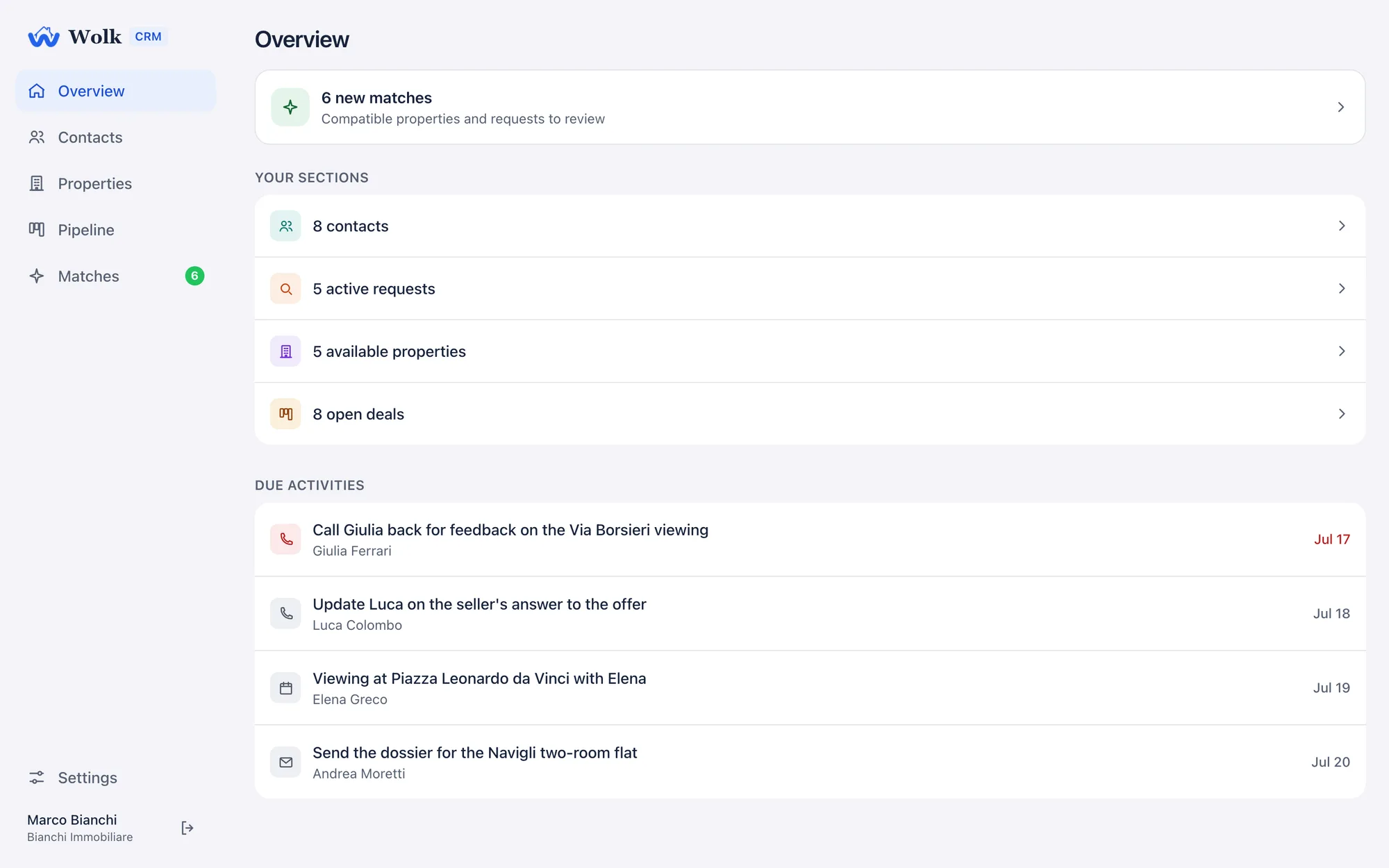
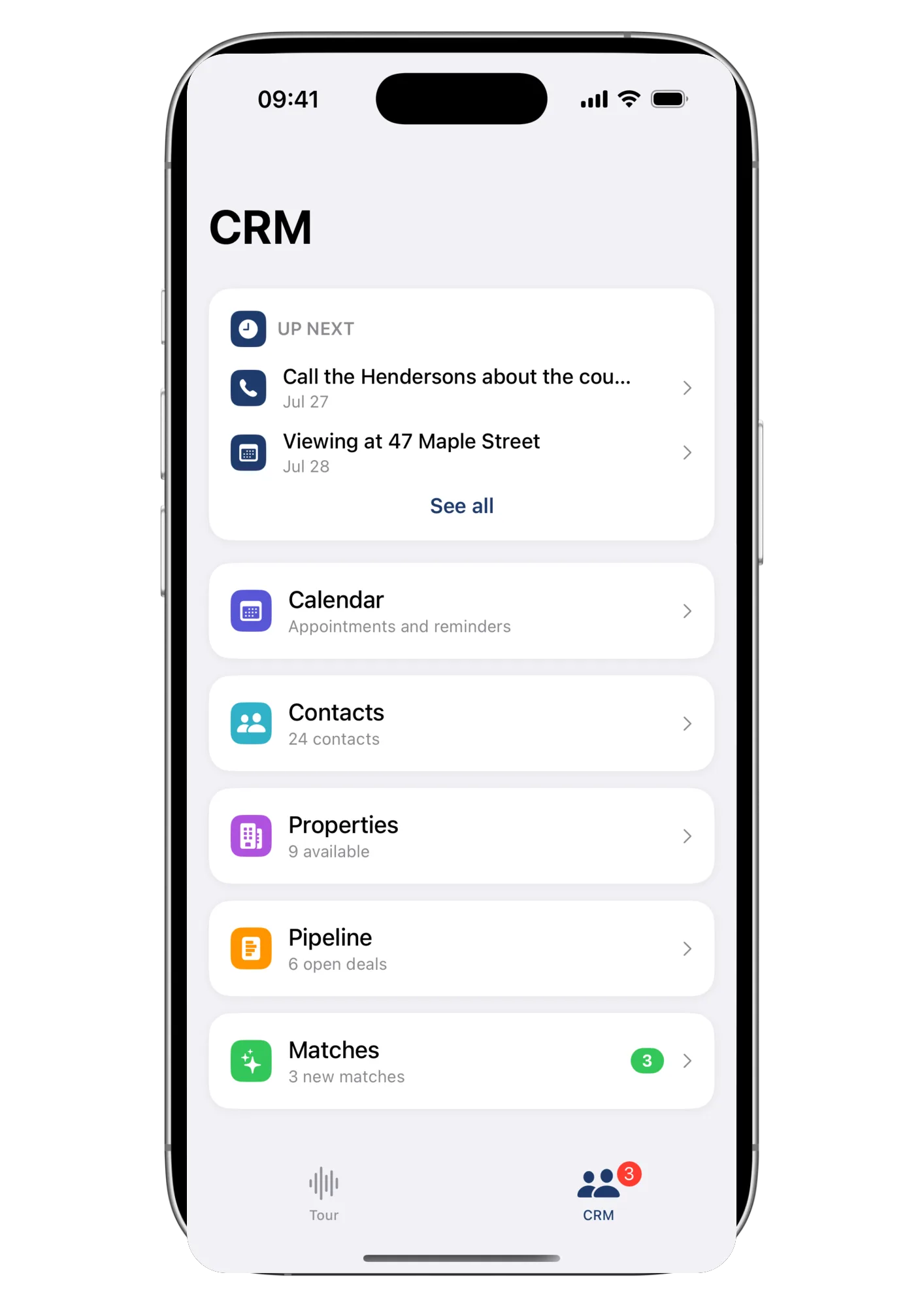
The CRM, in your pocket or at your desk
Contacts, properties, pipeline, matches and an appointment calendar: the same data, whether you open it from a browser at the office or from the CRM tab in the Wolk app while you're out showing homes.
Who was looking for a three-bed in Isola? I wrote it down somewhere…Every agent, every Friday
Every property meets every request. Automatically.
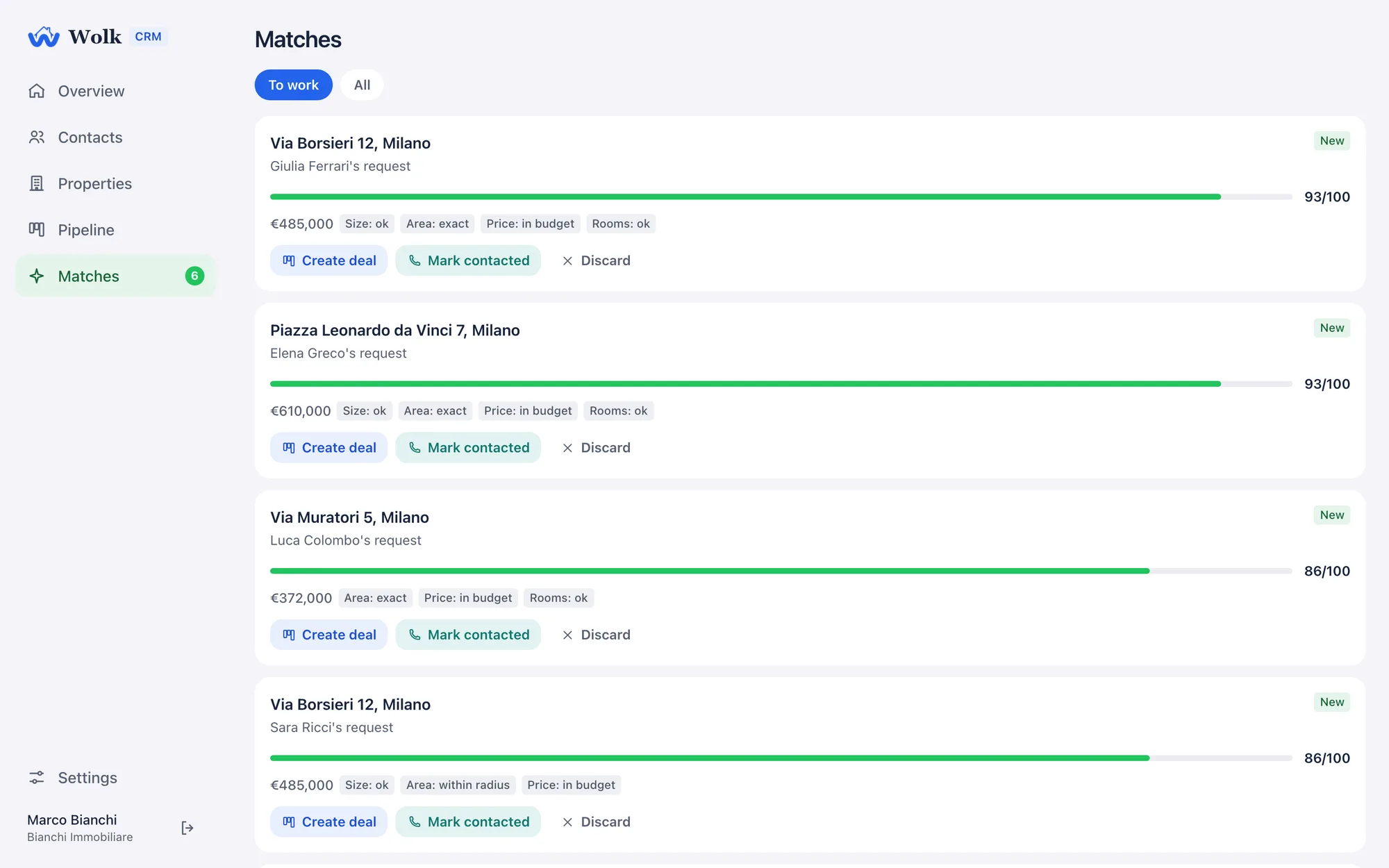
The moment you save a property or a buyer request, Wolk CRM checks it against everything else on your books and scores each match out of 100, spelling out why it matched criterion by criterion: baths, price (in budget or flagged with the tolerance), rooms, size, and zone (exact match or within the radius you set).
Matching runs inside the database itself, so it’s instant, never out of sync, and matches you’ve already worked are never wiped out by a recompute.
Anything within 3 km of the Duomo is fine.The client whose search no CRM field could hold
Zones by name, or a circle on the map
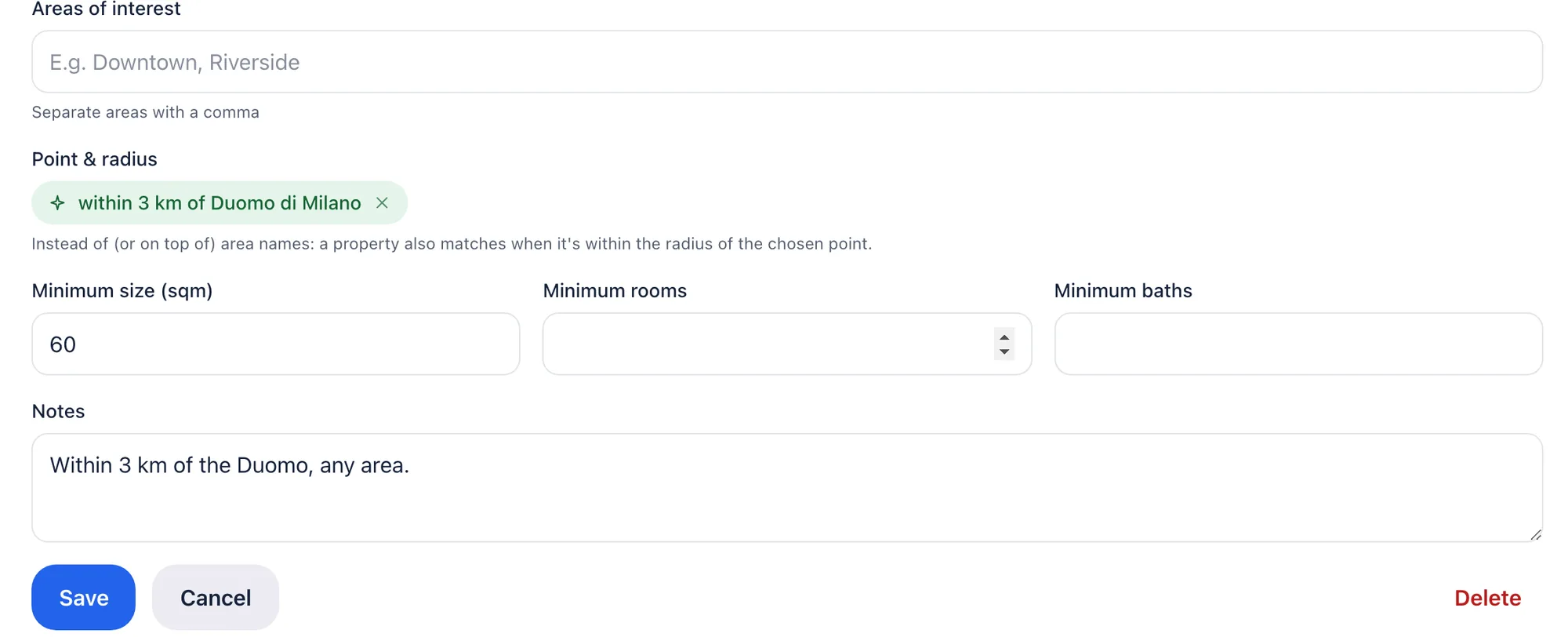
A request can carry named zones, a center point with a radius, or both. A property matches if the zone name fits or if it physically falls inside the circle, so “within 3 km of the Duomo” finally works as well on your CRM as it does in the client’s head.
You told me you’d call me back three days ago.The client who remembers better than you do
A calendar that doesn’t drop an appointment
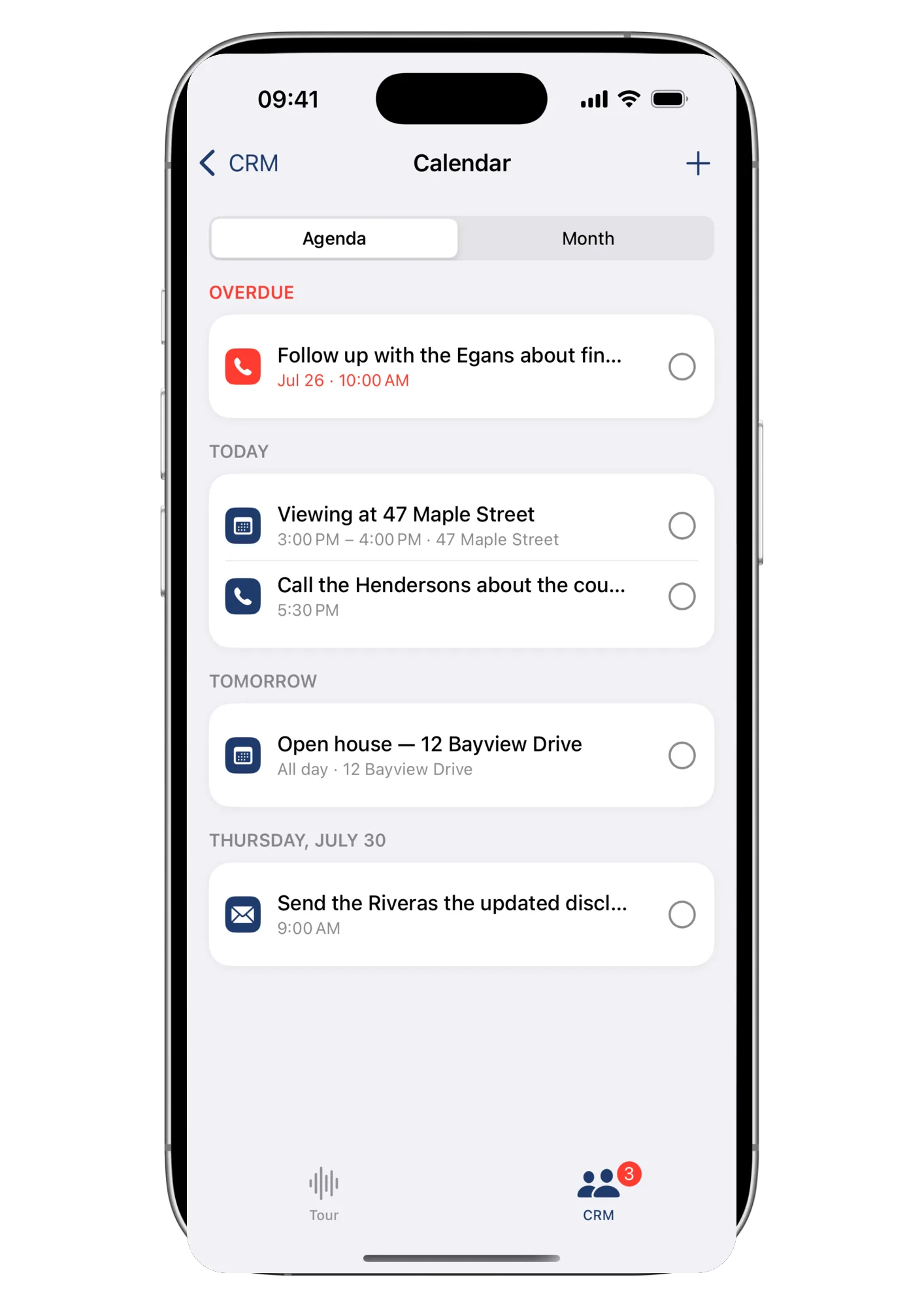
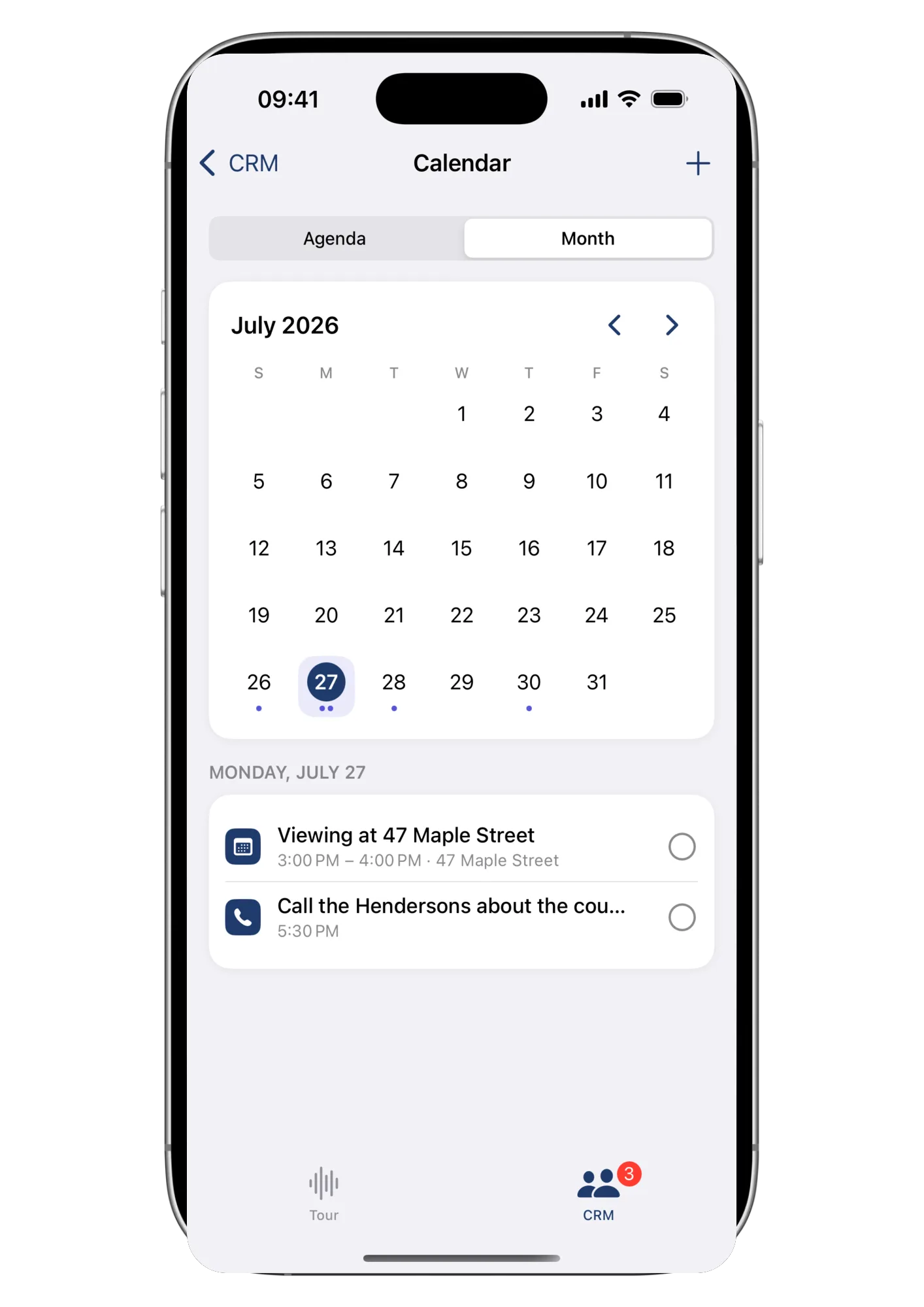
Agenda or month view, calls, viewings, emails, texts and notes — each appointment linked to the right contact, deal or property. What’s due today stays on top; what’s overdue stays red until you close it out.
Wait, was she a buyer or a seller?The risk of keeping it all in your head
Every contact, with their history
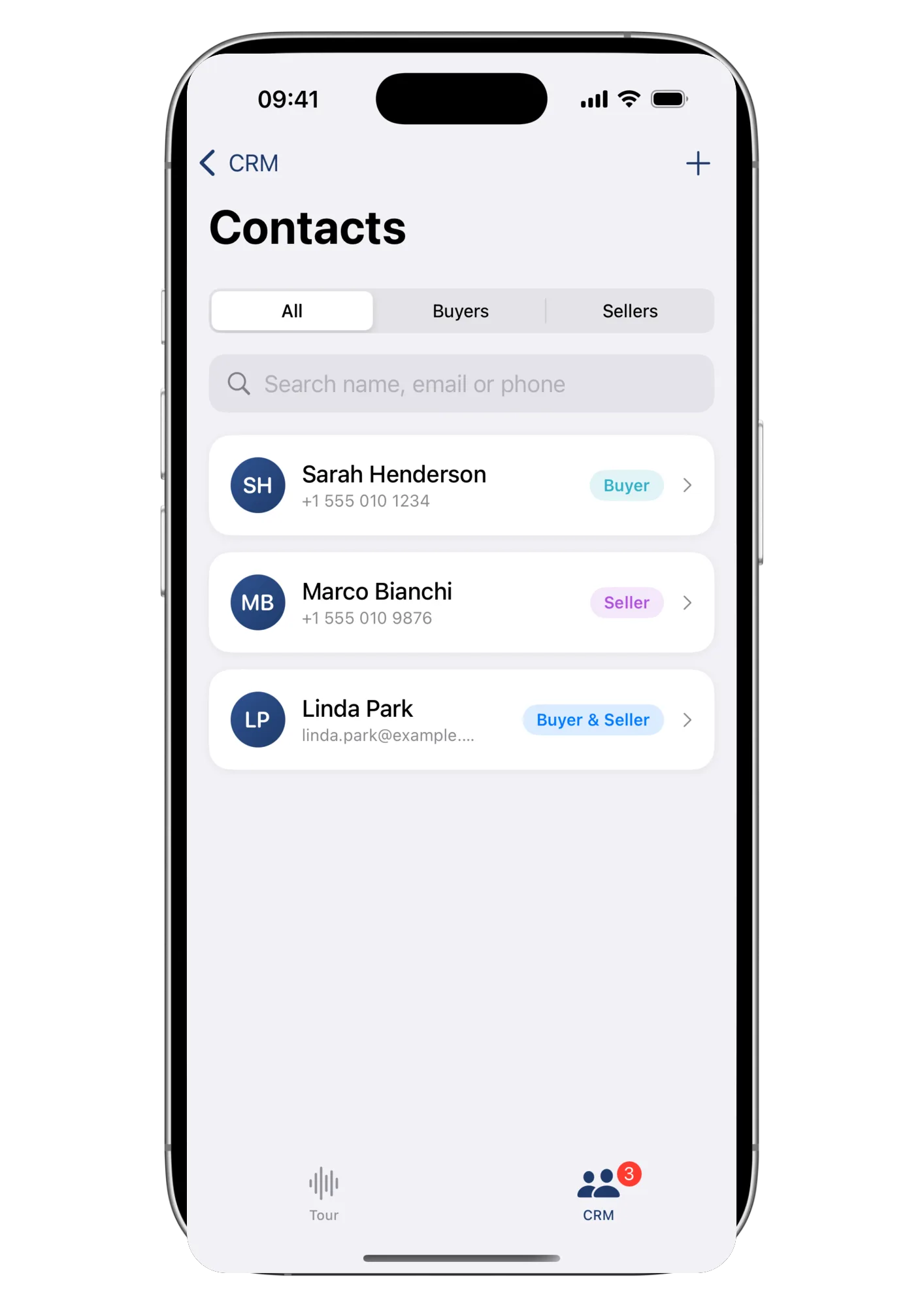
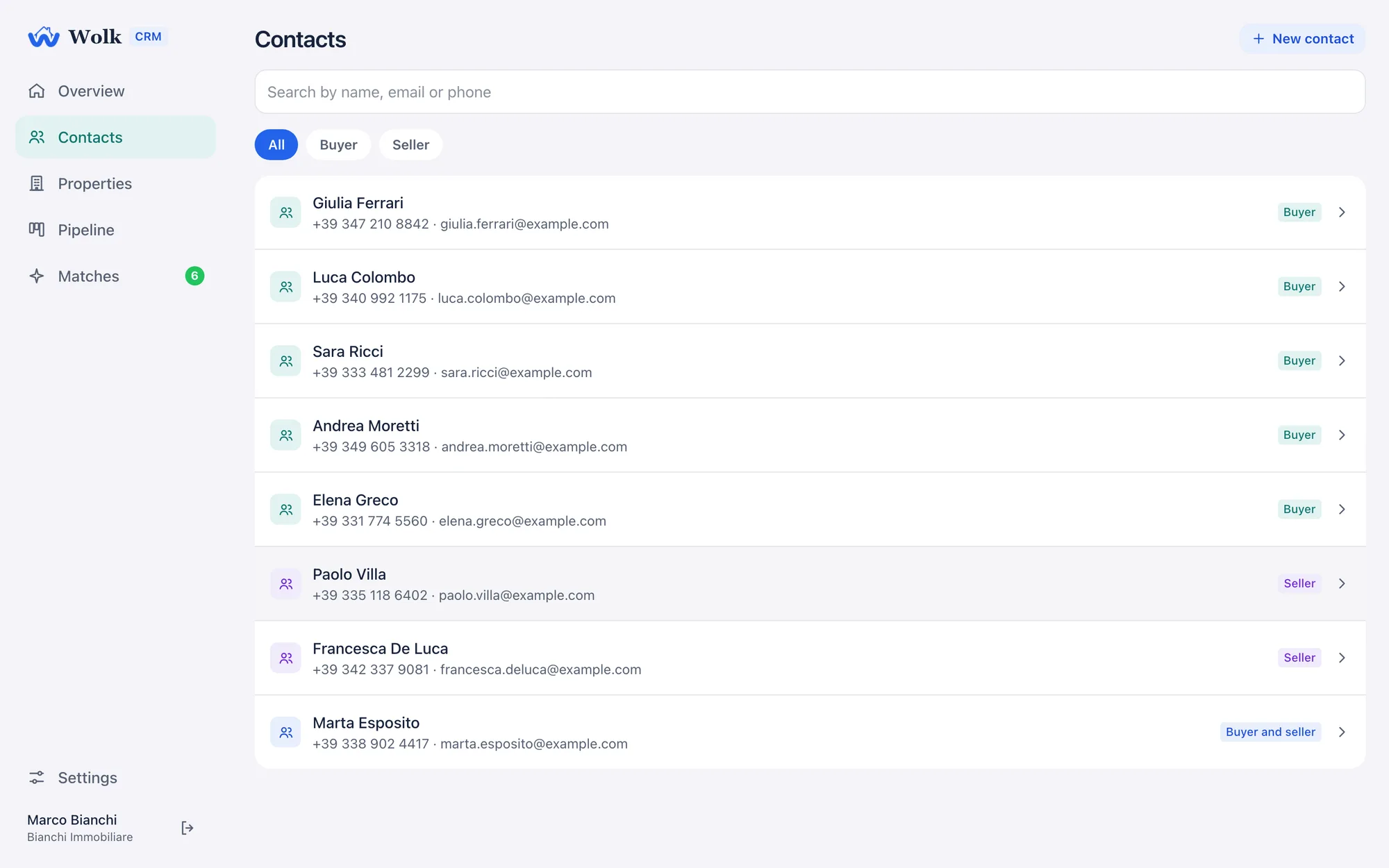
Buyers and sellers, filterable at a glance, each with a phone number and email on hand — no more digging through three apps to remember who’s who.
Who owned the one on Via della Scala again?The spreadsheet nobody updates anymore
Your whole portfolio, priced and tagged
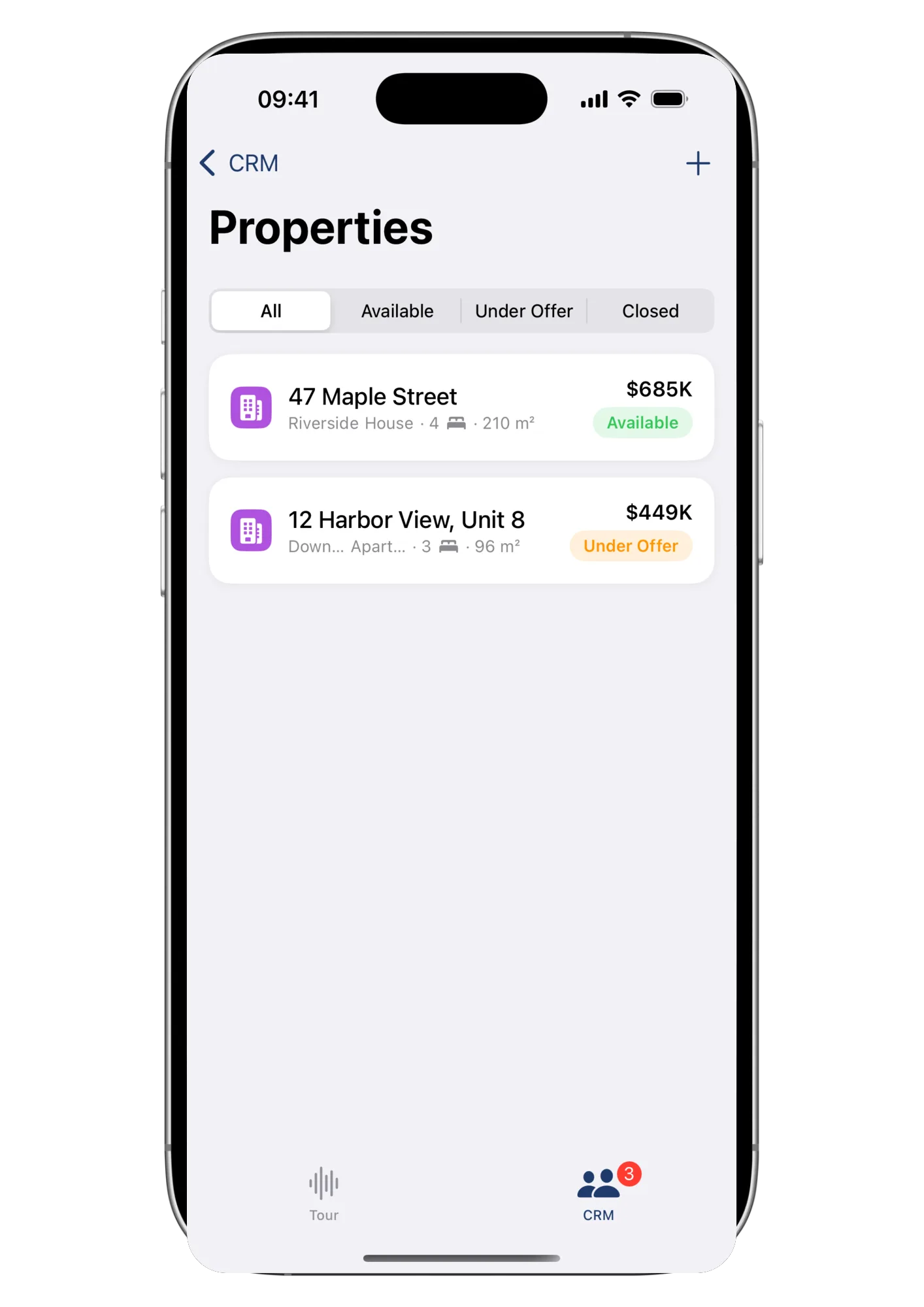
Every listing with its status, price and specs in one list — and, right on the property record, any match it already has with a buyer request.
He never got back to me. And I forgot to call him back.How deals actually die
A pipeline that reminds you at the right moment
Drag every negotiation across stages you can rename and recolor to match how your agency actually sells. Attach calls, viewings and notes with due dates. Whatever is due lands on your dashboard every morning, and whatever is overdue shows up in red until you deal with it.
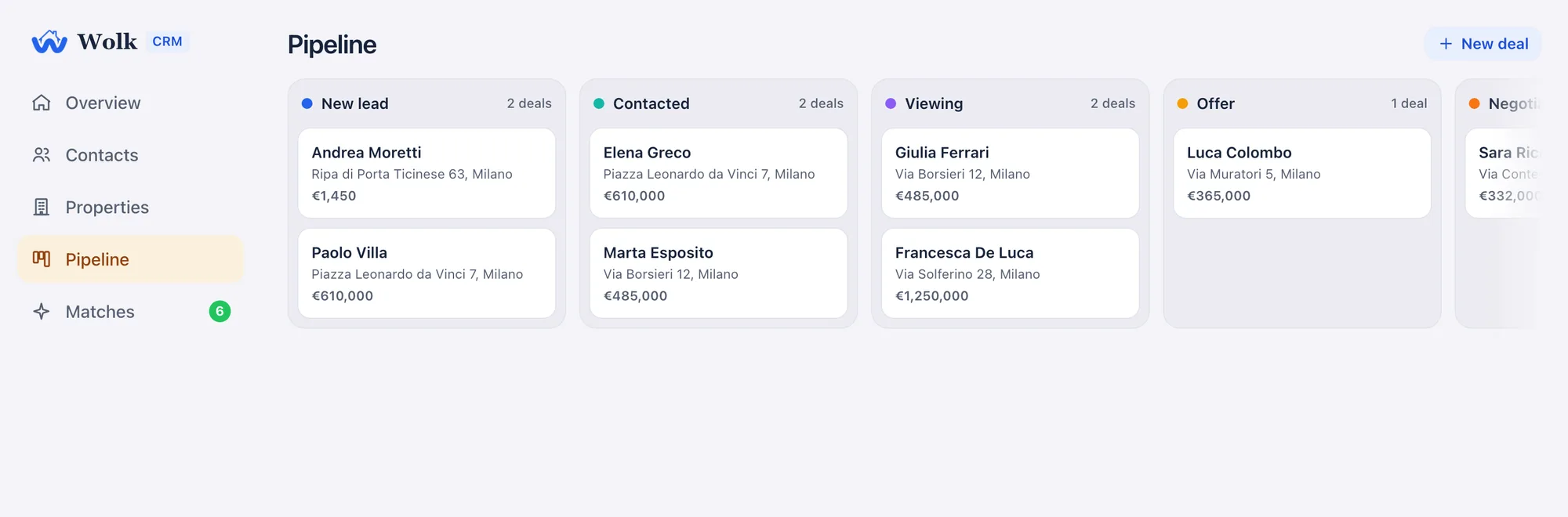
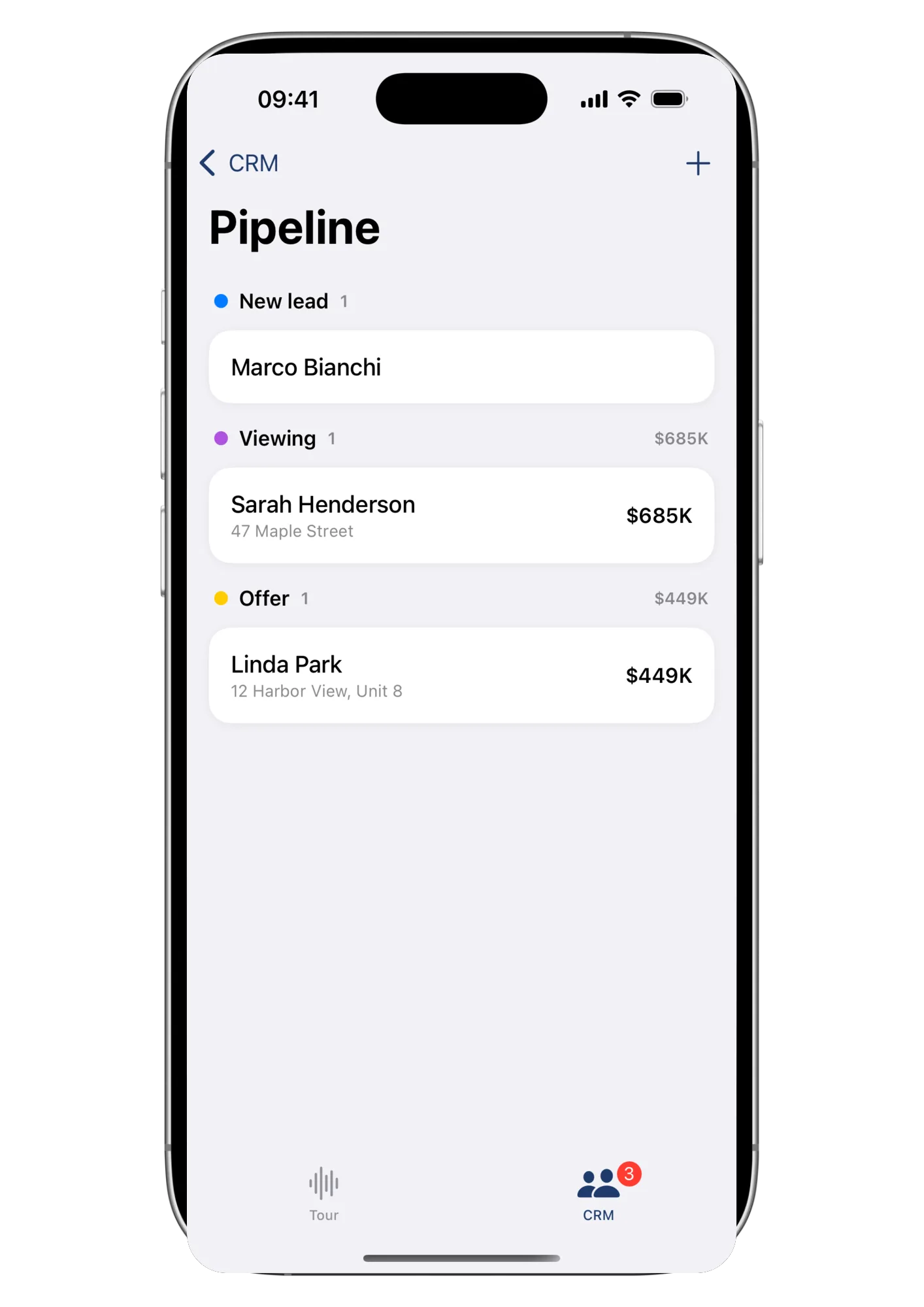
At your desk or mid-showing: it's the same pipeline.
I already dictated this apartment once. Why am I typing it again?Every agent with two tools that don’t talk
One walkthrough, zero retyping
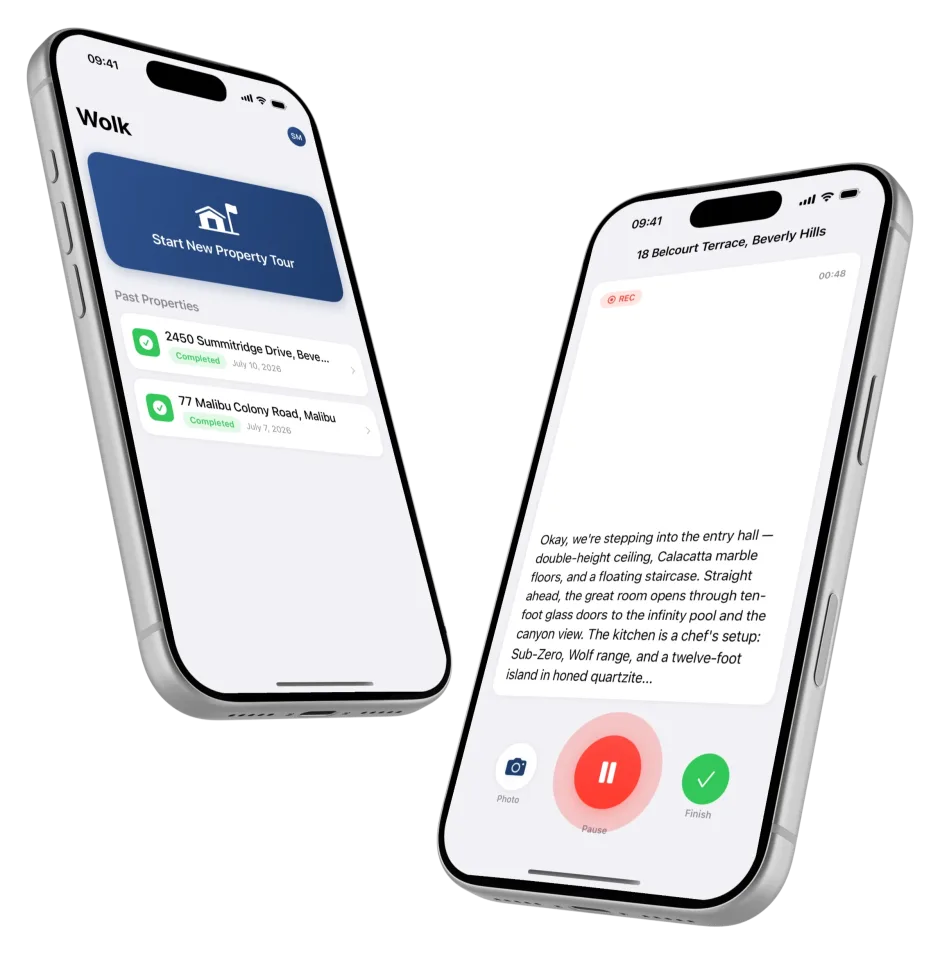
Wolk CRM shares an account with the Wolk iOS app. Record a walkthrough on site and import it as a CRM property with one tap: address, size, rooms, price — then open the property record to work it from there. And when a new match lands while you’re out showing homes, your phone tells you.
Use the CRM from a browser, the app, or both — the data is always the same.
Client data, treated like client data
A real-estate CRM holds names, phone numbers, budgets and life plans. Wolk CRM is built so that holding them responsibly is the default, not a setting.
- A GDPR consent trail on every contact. Privacy and marketing consent are recorded with a timestamp, visible at a glance.
- Your agency’s data is yours alone. Every record is isolated per organization at the database level, not just in the interface.
- Archive, never lose. Contacts and deals are archived out of your lists, not destroyed, so history and paper trail survive.
One ladder, app and CRM together
Wolk CRM shares its pricing with the Wolk iOS app: no separate CRM bill to track.
Try the CRM alongside your first three app tours.
1 seat · read-only- Browse the CRM: contacts, properties, pipeline & matches
- Upgrade to Pro to start adding your own
One agent, the whole engine.
1 seat- Everything in Free, plus:
- Unlimited contacts, properties & requests
- Pipeline with custom stages & reminders
One shared workspace for the whole office.
1 seat included, add more anytime- Everything in Pro, plus:
- Automatic matching with score and reasons
- Radius search on any request
- Shared contacts, inventory and pipeline
- Every agent’s matches in one place
- Push notifications for the whole team
Larger teams and multi-office rollouts, set up with us directly.
Prices in USD. Pro is billed through the App Store; Growth is billed separately on wolk.website via Stripe, so it's never subject to the App Store's cut. No card required for Free.
Common questions
Do I need the iOS app to use the CRM?
No — and also yes: Wolk CRM is a full web application, usable entirely on its own in any browser, and it’s also a native section inside the Wolk iOS app, sharing the same live data on both surfaces. Use whichever fits the moment, or switch between them.
How does the matching actually decide?
A match requires the same listing type and a compatible property type, a price within the request’s budget (with a 10% tolerance band that is flagged as such), and it checks zone (by name or by radius), size, rooms and baths. Each satisfied criterion contributes to the 0–100 score, and every match lists the reasons it fired, so you can judge it in two seconds.
Do I pay for the CRM separately from the app?
No. Wolk CRM and the Wolk iOS app share one pricing ladder. Free is a read-only preview; Pro (billed through the App Store) unlocks unlimited contacts, properties, and a personal pipeline. Automatic matching, radius search, and sharing across a team are Growth's unlock, billed separately on wolk.website.
Is it GDPR-ready?
Consent is a first-class field: every contact records when privacy consent was given and whether marketing consent exists. Records are archived rather than hard-deleted from your lists, preserving the trail, and each organization’s data is isolated at the database level.
Does the CRM have an appointment calendar?
Yes, in agenda or month view. Every appointment (call, viewing, email, message or note) can link to a contact, a deal, or a property, and whatever’s due today stays visible until you close it out, with push reminders on both surfaces.
Your next match is already on your books
Create an account, add a property and a request, and watch them find each other.
Try Wolk CRM free